

I promised it, here it is. My guide on making the best context for having a unique and consistent voice with AI-generated writing.
Sorry for the gap — not six months or a year this time — just a bit more than a month. I moved to Japan for the autumn season and couldn’t get the energy I was having in September. Finally found a couple more nutrient deficiencies I needed to fix and now I’m back on my feet.
Last time, I said messaging matters more than voice. And this post expands on that idea and gets to the heart of what matters.
Standing out is the real goal
I recently saw someone explain how they picked a tool. They asked AI for a shortlist, then went with the one that stood out the most. That makes sense. If AI makes it easier to push products closer together on features, the thing that makes you memorable gets more important.
A lot of people jump from there to “so you need a unique brand voice.” I don’t think that follows. Standing out is the goal, and voice is one of the weakest ways to get there.
This is how I’d rank the options: Story > Mascot > Design > Voice
Story
Story is your ICP, positioning, and messaging. Who you’re for, why you exist, and what you say to them. If that part is sharp, you already sound different from most of your category, because most of your category is vague.
To make it more personal, add founder stories and strong opinions. Basecamp is the best example of this, and I’ll get to it below.
Mascot
A mascot is the cheapest way to be remembered. Nobody remembers a logo that is a geometric shape with a letter on top (and I say that as someone who loves designing logos). People remember a mascot. Japan does this everywhere, for cities, train lines, and banks, and it works. Make it cute and recognizable. Animals are the safest bet.
One warning from experience. A while ago my parents ran a B&B and asked me to build their website. They insisted on putting a drawing of a cow on it as the mascot. I thought it was ugly and I hated it. Customers loved it. So my taste isn’t the test, and neither is yours.
Design
Design comes next. Right now a lot of B2B SaaS sites look the same, even more than they used to: beige backgrounds, the same layouts, small variations. Sprig and Cursor are the examples that come to mind. I don’t think the trend exists because it converts. Designers often care more about their craft and what other designers think than about the customer. They’d say otherwise, but look at how fast these trends spread.
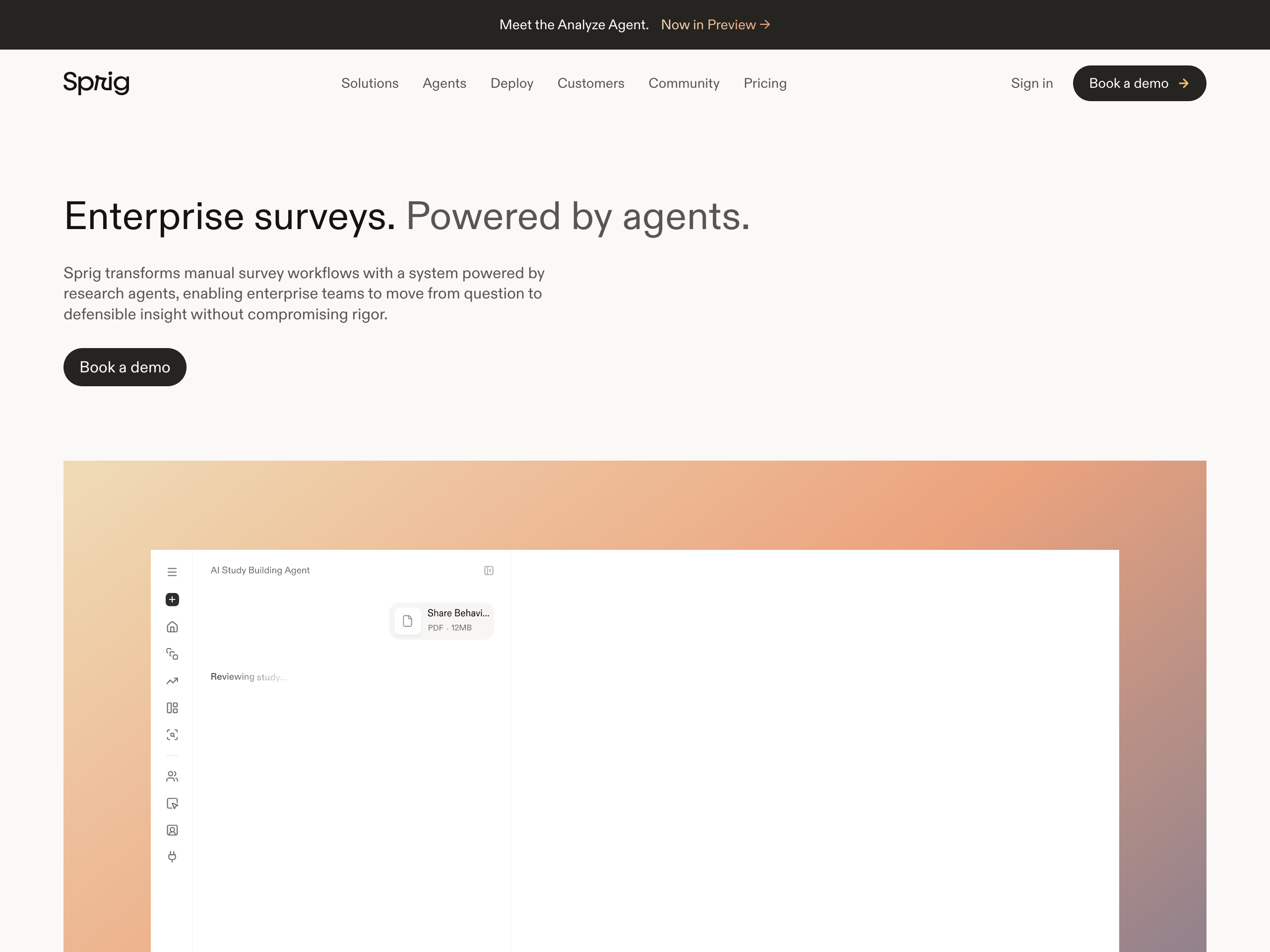
So hiring a designer won’t reliably get you a design that stands out. And even a good website is hard to make memorable, because visitors see dozens of them a week.
Voice
Voice is last, even though it’s usually the first thing people bring up.
It’s also the least memorable. People remember a cute animal or a strong opinion after they close the tab. Almost nobody remembers that your onboarding emails had a dry joke.
Messaging is what you say, voice is how you say it
Voice usually gets described as a personality. I’ve sat in enough brand meetings over the years to know how that goes. The personality always comes out the same: friendly, warm, clear, and professional. That describes 99% of B2B SaaS.
What actually differs between brands is vocabulary and the way things get phrased. Voice is a creative layer on top of the messaging. Messaging decides what to say. Voice decides how to say it. If the messaging is weak, a clever voice will make it worse, not better.
In B2B, the voice that works is mostly the customer’s pain points said crisply, then the exact benefits and results. You can go more original than that if you want. Most B2B brands don’t, and they’re fine.
If you don’t know who your customers are, you can’t sound like someone they relate to. What they want matters more than how you phrase it.
The usual examples
I asked AI for B2B SaaS brands with a distinctive voice. It gave me PostHog and Basecamp. Those were the two I already had in mind, and I already suspected neither was really about voice.
PostHog
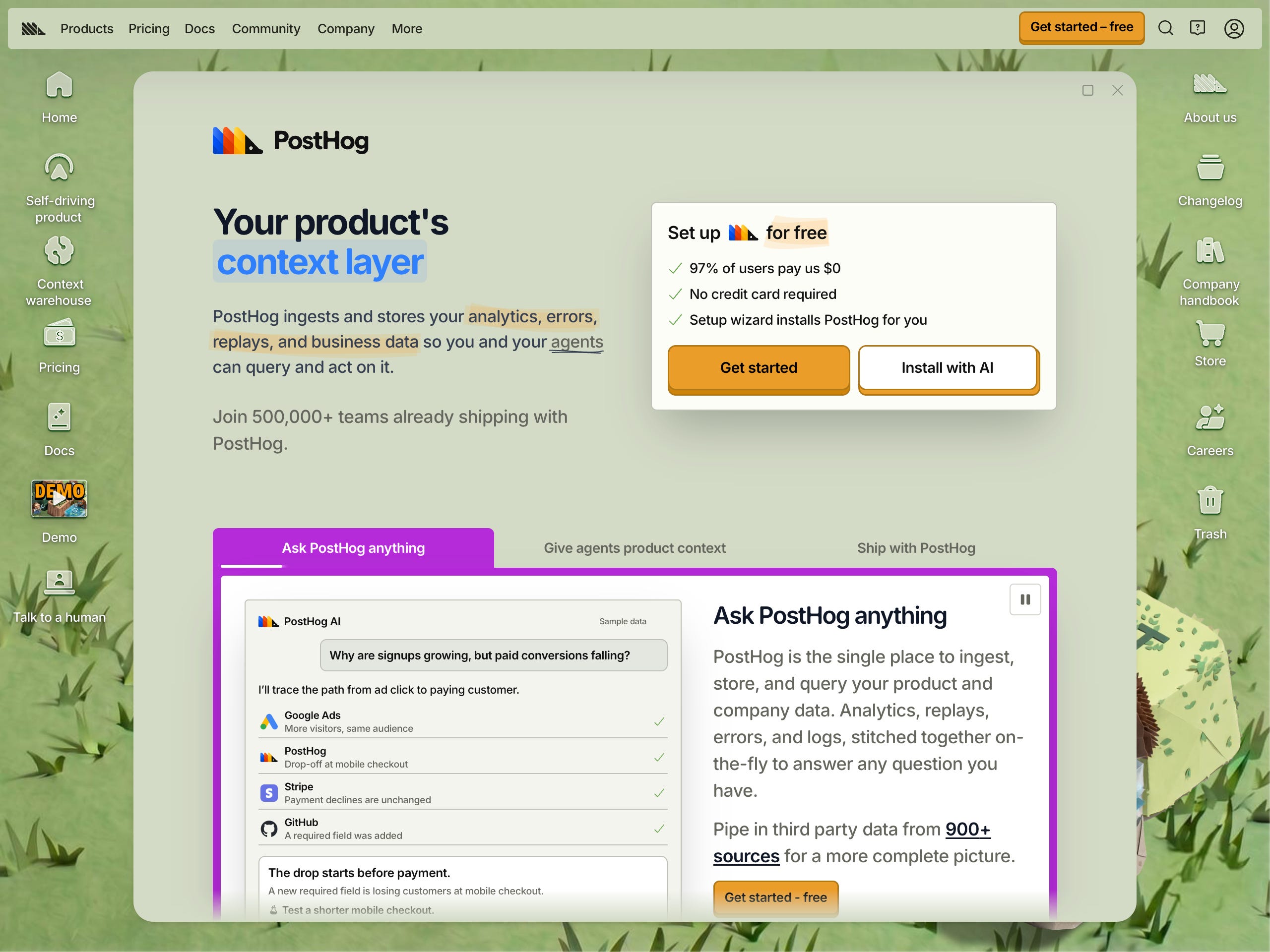
PostHog’s brand tone page is a good document. The core principle is “Write the way you’d explain something to a smart friend, not a business associate you’re trying to impress or a prospect you’re trying to close.” The traits are clear and simple, specific, direct, honest, conversational, no jargon for jargon’s sake, and no emojis.
Read that list again and try to find something that would only fit PostHog. I can’t. Maybe I’m too used to copywriting, but that’s good writing advice, not a voice. Swap the company name and it works for anyone.
I know this better than most, because the styleguide I use is adapted from that exact page. It works well for me, and it works because it’s generic. I’ll come back to that.
What makes PostHog stand out is the brand design and their opinions. The site looks like nobody else’s, and they have strong views about how to build products and companies. The rest is messaging aimed at a very specific ICP: developers who distrust marketing.
Basecamp
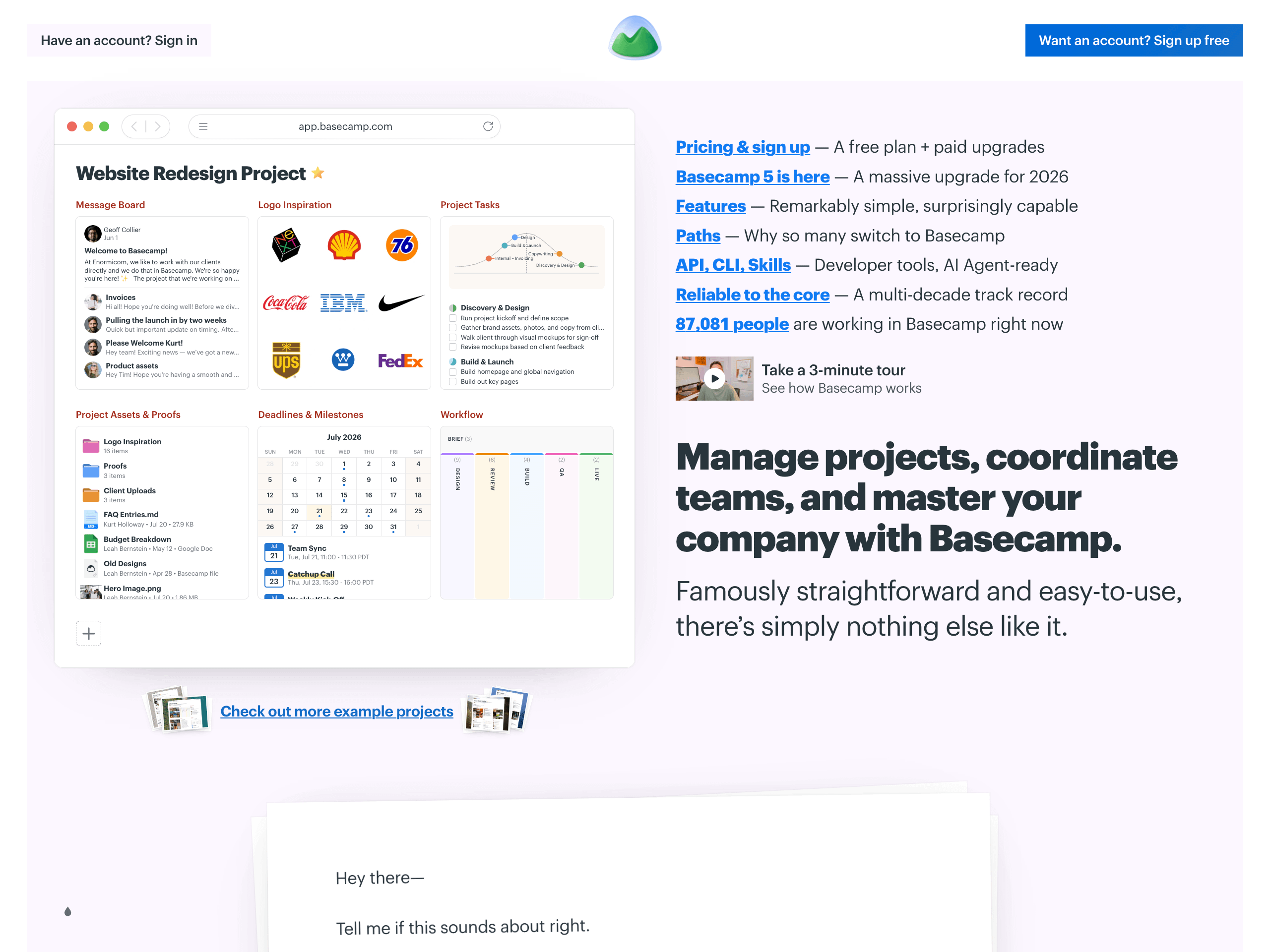
Basecamp is always a good reference. The founders have strong opinions (whether you like them or not), and they have a specific way of saying things: direct, a recognizable vocabulary, and short, clear descriptions.
The homepage says “Unfortunately, most project management systems are bloated, complicated, and confusing. And software that’s hard to use doesn’t get used.” That’s a position against the whole category. The demo pitch reads “No slides, no sales pitch. Just a real project, clicked through in real time.”
That copy is memorable, but look at what makes it so. It’s an opinion about the market and a promise about the buying experience. That’s messaging. The phrasing is plain. Take away the opinion and you’d have a standard project management page.
When voice is optional
Open 100 B2B SaaS sites. How many have a voice that isn’t the standard B2B voice? Maybe 10. Probably fewer. Most of them are doing fine. For B2B SaaS, a unique voice is optional.
If you still want one to stand out, good instinct, but ask yourself two things first. Can you keep that voice consistent on every channel, including support replies, onboarding emails, and the docs written by an engineer at 6 p.m.? And do you know it will land with your audience, or are you guessing?
Your brand design already says more about your personality than your copy does. That’s how PostHog does it.
How I get a voice out of AI
None of this means AI copy has to sound like AI. I get consistent, decent copy from AI with a bit of manual editing. This is the setup.
Style reset
I always load two files: tropes.md and styleguide.md. I’ve shared the tropes file before. The styleguide is the one I adapted from PostHog.
Together they work like a CSS reset file, for those who remember those. They strip out the default LLM habits (em dashes, “it’s not X, it’s Y”, “unlock”, “seamless”, and the rest) so the output starts from a clean, consistent baseline before any other context.
This is also why a generic styleguide is fine. Its job is to remove bad writing, not to give you a personality. Here’s my current one:
# Writing style guide

## The core principle

Write the way you'd explain something to a smart friend, not a business associate you're trying to impress or a prospect you're trying to close.

This guide covers everything we publish: website, product UI, docs, blog, emails, social, and support replies. The voice stays the same everywhere. Length and formality change with the surface.

## Our voice

| Trait | What it means in practice |
| --- | --- |
| Clear and simple | If a simpler word works, use it. |
| Specific | Concrete nouns, real numbers, and real examples beat abstract claims. |
| Direct | Say what the thing is and what it does. Don't make the reader infer. Cut filler. |
| Honest | Name limitations and tradeoffs. Buyers trust honesty more than polish. |
| Conversational | Contractions are fine. Starting a sentence with "But" or "And" is fine. |
| Precise, not jargony | Use technical terms when they add precision. Never use buzzwords to sound impressive. |
| No emojis | They read as try-hard. Plain English does the job. |

Question industry-standard phrases before you reuse them. Often someone coined a phrase once and everyone copied it. Keep it if it's genuinely the clearest option; otherwise, say it better.

## Writing principles

### Assume almost nothing

What feels obvious to you after months with the product wasn't obvious on day one. Spell out the steps, define the terms, and link to the relevant docs. Write so a newcomer can succeed and an expert can skim.

### Get to the point

Lead with the answer, then expand. Almost every piece gets better when you shorten or delete the intro. And don't be boring.

### Make it scannable

Most readers scan before they commit to reading. Give them clear headings, tables, and diagrams so they can tell at a glance that the page answers their question.

### Have an opinion

Never write "it's complicated" or "it depends." Both frustrate the reader and add nothing. Instead:

1. State a recommendation.
2. Back it with an example.
3. If you can't do either yet, keep researching until you can.

### Use active voice

Write "The app syncs your contacts," not "Your contacts are synced by the app." Active voice is shorter, clearer, and more confident.

### Lead with the benefit, not the feature

"Introducing our new dashboard" tells the reader nothing about why they should care. Say what they can now do.

### Don't force the humor

Humor works when it's specific, unexpected, and comes from a real point of view. A joke you have to explain isn't funny, and a wacky metaphor won't make enterprise software exciting. When in doubt, be clear. Clear beats clever.

## Words to cut

Hedge words and corporate filler make copy feel weak. Swap them out:

| Instead of | Write |
| --- | --- |
| helps you to | what it actually does |
| empowers teams to | what teams can now do |
| enables you to unlock | what they get |
| leverage | use |
| utilize | use |
| streamline | speed up, simplify |
| robust | strong, solid, or describe it |
| best-in-class | show it, don't claim it |
| holistic | comprehensive, or name the parts |
| seamless | explain *why* it's easy |
| actionable insights | the specific thing they'll learn |
| synergy | nothing, just delete it |

### "Enable", not "allow"

The best option is to say directly what the product does. When you do need the construction, use "enable" (gives the means to) rather than "allow" (gives permission to). The integration *enables* you to sync data; your admin *allows* you to change settings.

## Grammar and mechanics

| Rule | Do | Don't |
| --- | --- | --- |
| American English spelling, dates, and times | color, organize, October 6, 2026 | colour, organise, 6 October 2026 |
| Sentence case for all titles and headings | Writing style guide | Writing Style Guide |
| Capitalize product names, not generic categories | "Our second product was Workflow Builder." / "Many tools offer workflow automation." | "Our Workflow Automation tools" |
| Capitalize acronyms; define unfamiliar ones on first use | URLs, APIs, SSO | urls, apis |
| Use the Oxford comma | bananas, apples, and oranges | bananas, apples and oranges |
| Use straight quotes and apostrophes | "it's" | “it’s” |
| Hyphenate compound modifiers before a noun only | an open-source library / the library is open source | the library is open-source |
| Don't use en or em dashes | Ship it, then measure. | Ship it – then measure. / Ship it—then measure. |

A few notes on the trickier ones:

- **Oxford comma.** It removes ambiguity. "There are two hard problems in computer science: naming things, cache invalidation, and off-by-one errors" only works with it.
- **Straight quotes.** Google Docs, Notion, and Word insert curly quotes by default. Turn this off in settings. Curly quotes break code snippets and look inconsistent.
- **Dashes.** A dash lets you bolt one thought onto another instead of finishing the sentence. Use a period, comma, colon, or parentheses. Save hyphens for compound words like "open-source" and "off-by-one."
- **Acronyms.** When in doubt, link the first use to a definition or spell it out once.

## Examples by surface

The voice stays constant; length and formality adjust. Use these as calibration.

### Headlines

| Do | Don't |
| --- | --- |
| Approvals that don't slow you down | Supercharge your approval workflow |
| See exactly where deals stall | Unlock actionable pipeline insights |
| Built for finance teams who close fast | The all-in-one platform for modern finance teams |
| Plan, track, and report in one place | Streamline your end-to-end lifecycle |

Keep the customer as the subject. They get the outcome, and the product is how they get it.

### Body copy

| Do | Don't |
| --- | --- |
| Your data stays in your own cloud. | With our platform, you can leverage advanced data sovereignty capabilities. |
| One price covers every feature. You pay for usage. | Our holistic pricing model enables teams to seamlessly utilize our integrated suite. |
| We built this because the existing tools weren't good enough. | Drawing on our extensive expertise, we've developed a best-in-class solution. |

### Product UI and error messages

| Do | Don't |
| --- | --- |
| Can't connect. Check your API key and try again. | An error has occurred. Please contact support. |
| This report needs at least 100 records before we can show trends. | Insufficient data for analysis. |

### Emails

| Do | Don't |
| --- | --- |
| You've been quiet for a bit. Here's what's new. | We noticed you haven't engaged with our platform recently and wanted to reach out. |
| Your trial ends Friday. Here's how to keep your data. | Your free trial period is approaching its conclusion. |

### Social

| Do | Don't |
| --- | --- |
| We ship a lot and talk about very little of it, so here's the full list | We offer more than twenty products for your needs. They are: |
| SSO is live on every plan (finally) | We're thrilled to announce that SSO is now available to all customers! |
| (reply) this is great | (reply) Nice work! We love it! |

## Sources

Made by Nicolas Mérouze. Adapted from [PostHog's style guide](https://posthog.com/handbook/content/posthog-style-guide) and [voice and tone page](https://posthog.com/handbook/brand/voice).
Knowledge
This is the part that makes your copy sound like you and not like your competitors. The AI needs to know what you know:
Customer interviews
Sales call transcripts
Strategy docs: GTM, positioning, messaging
Testimonials
Product docs
Sources for any contrarian point you want to make, so the claims hold up
If you don’t have ICP, positioning, or messaging docs yet, build those first. These skill libraries will walk you through it:
ASB skills by Jason Cohen. This is where I’d start. The “Find Your Carol” workshop builds your ICP one step at a time, the Customer Interviews workshop takes you from questions to a debrief and report, and
asb-positioningandasb-needs-stackcover the pitch and what the customer actually wants. Each skill asks you questions and writes the answers to a file you keep, which is exactly the kind of file you want in context later.MKT1 MCP by Emily Kramer. A connector for Claude with 40+ B2B marketing skills, including positioning, ICP prioritization, perceptions (the 3 or 4 ideas you want the market to believe about you), and a homepage positioning audit. The connector is free to install, but most skills are for paid newsletter subscribers.
Marketing Skills by Corey Haines. Free and open source. The ones that matter here are
customer-research(turns interviews, tickets, and reviews into personas and jobs to be done),competitor-profiling, andproduct-marketing, which writes a context file every other skill reads.copywritingandcopy-editingare useful once the foundation exists.
Reference files
With the reset and the knowledge in place, the last thing to add is references. For every type of content you produce, you need one or more examples you’re happy with. Either you wrote them, or AI drafted them and you edited them by hand.
They have to be clean. If a reference contains anything you don’t want, the AI will copy it, and every piece built from it after that inherits the problem. I learned this the hard way, as I wrote recently.
Voice, if you want it
At this point a voice file is optional. If there’s something you want on top of everything else, a few words you always use, a sentence rhythm, a running joke, write it in a separate file or edit the styleguide to lean that way.
My workflow for an actual piece is simple. I dictate or write a rough first draft, load the context above, generate, and edit.
You don’t need a voice. You need a story. Get the ICP and messaging right, add a mascot if you want people to remember you more easily, and treat voice as the last ten percent.